Lords Mobile Introduction
Lords Mobile is a mobile strategy game where players build and grow their own kingdom. In the game, players can construct various buildings and train different types of troops to defend their kingdom and attack other players. You can also join a guild to team up with other players and compete in epic battles.
How to top up Lords Mobile Diamonds on thePAY:
- Go to the 'Game Top-up, Gift Card' menu and click Lords Mobile.
- Select the diamond amount you want to purchase.
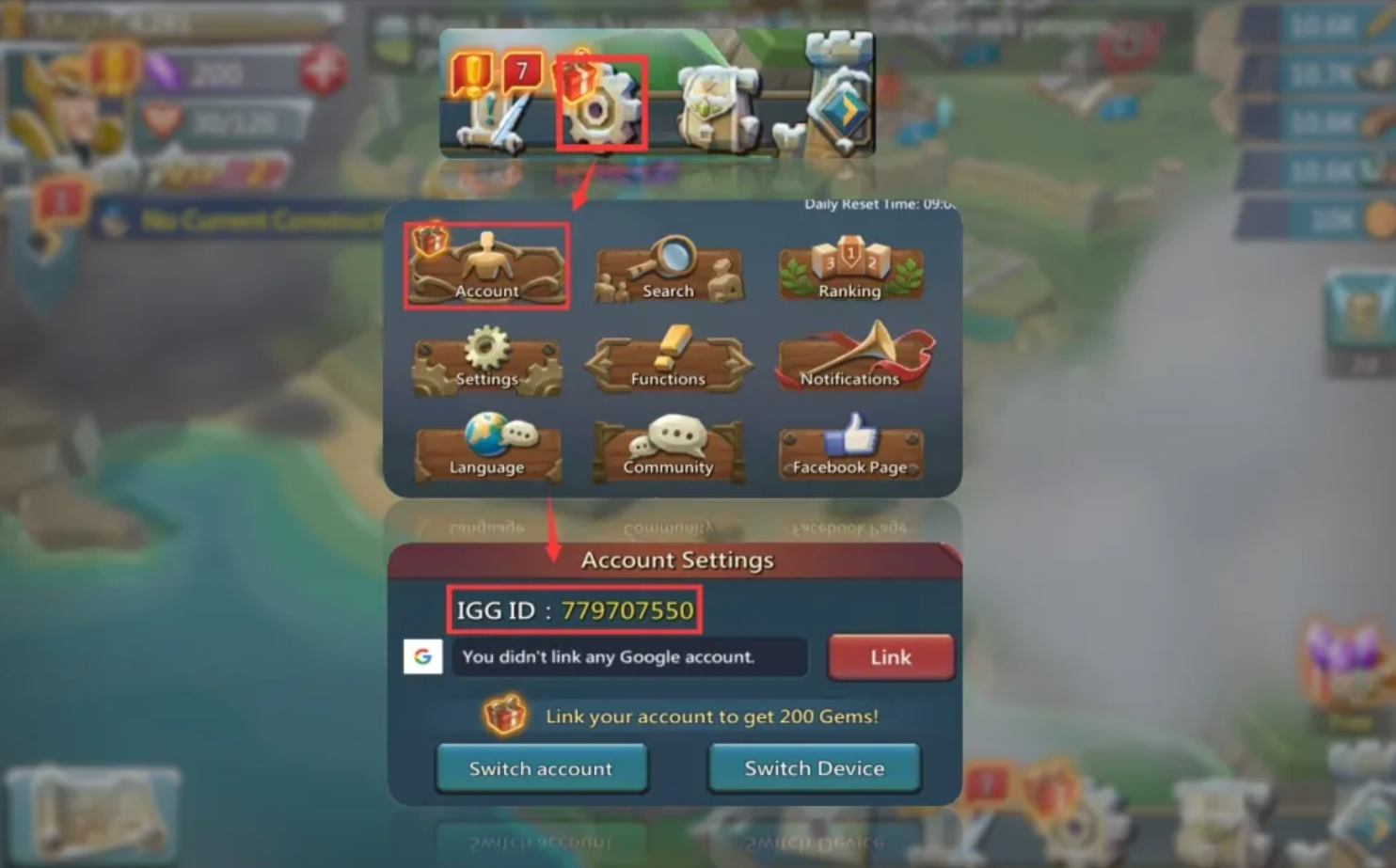
- Enter your IGG ID. (Refer to the guide below.)
- Once you tap top-up, the diamonds are instantly added to your Lords Mobile account.
How to find your Lords Mobile IGG ID:
- Log in using your game account.
- Click Settings (gear icon) at the bottom right.
- Click Account.
Your IGG ID will be displayed.